
AI solutions
Client engagements, kept on track
Indigo SABLE
Not everyone’s a Project Manager. Thankfully SABLE is.
Somebody has to remember what was promised on the call, notice when scope starts to creep, and get the update out on Friday. SABLE does that from the meetings, email, tasks, and hours your team already produces. It never sends a thing until you say so.
Request a demo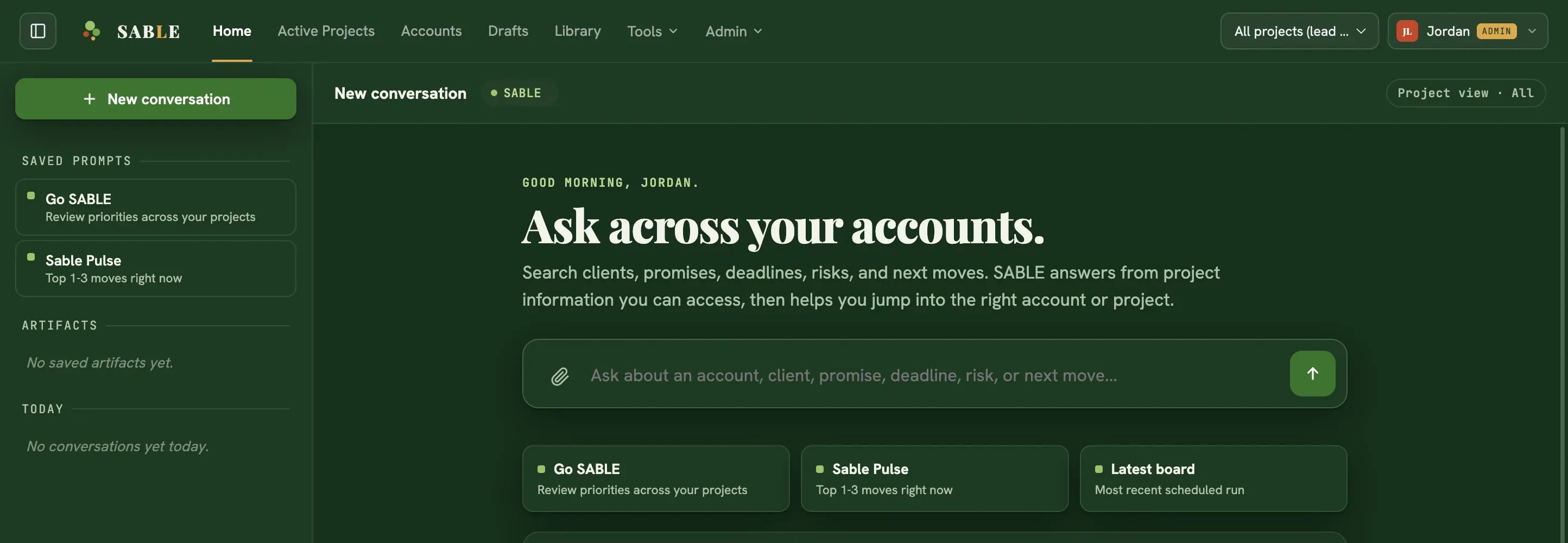
One record of everything that happened on an account.
Decisions get made on a call, promises get made in email, tasks live in a task system, hours in a timer, and the scope everyone agreed to sits in a document nobody reopens. By the time a project is visibly in trouble, the evidence has been scattered for weeks.
SABLE keeps the whole thing in one place, so nobody has to piece it together on a Friday afternoon.
Inside the product
Seven views. One record.
The daily view
Home
When the team signs in, the day is already sorted. The overdue promise and the overnight client email are at the top.
Questions across every client
Ask SABLE
Ask a question across every client. Every answer shows the meeting, file, or task it came from.
The account record
Accounts
Everything that happened with one client: what was promised, what was decided, what is in scope, and what is due.
Unsorted work
Inbound
Meetings and email SABLE cannot place wait here for someone on the team to sort.
Drafts
Workbench
Weekly updates, readouts, SOWs, and scope changes drafted from the record, with their sources attached.
Searchable documents
Library
Contracts, decks, and scanned PDFs become searchable, and SABLE quotes them back with the page they came from.
Client delivery
Client workspaces
Share what is ready, and let clients approve, ask for changes, and reply in one shared timeline.
How it earns trust
Client work needs more than a clever answer.
- Evidence stays attached
- Every draft carries its citations, so a reviewer can check a claim before it goes out.
- Access follows the project
- People see only the accounts they are cleared for. Restricted material stays restricted.
- Nothing goes out on its own
- Drafts, client updates, and changes to connected systems wait for your approval.
- Admins see the whole picture
- Connection health, who has access, AI usage, and cost are all in one admin view.
- Every meeting leaves a record
- A summary, the decisions made, and the promises given, each linked to the recording.
- Estimates start from history
- Past projects give a new estimate its starting point, and SABLE shows which ones it compared.
- Rules are approved, not assumed
- When something goes wrong, the fix can become a rule SABLE follows next time. A named owner approves each one.
- Ask SABLE only reads
- It answers from the record and cites what it used. It never changes anything on its own.
Connected sources
Built on the systems your team already runs.
| Source | How SABLE uses it |
|---|---|
| HubSpot | Indigo Trigger is a HubSpot Platinum Solutions Partner. Each SABLE account is tied to its HubSpot company, so deals, contacts, and activity sit next to the delivery work instead of in another tab. |
| Asana | Tasks, owners, and due dates become promises SABLE tracks. |
| Toggl | Tracked hours feed budget burn and account health. |
| Slack | Channel conversations join the account, and updates can be sent where the team already talks. |
| Gmail | Client email lands on the right account. Anything unclear waits to be filed by hand. |
| Google Calendar | Meetings and open time show what the team can realistically take on. |
| Google Drive | Contracts, decks, and working files become searchable, with citations back to the file. |
| Fathom | Recorded meetings arrive with a summary and the promises made in them. |
| Granola | Meeting notes land on the same account as recorded calls. |
Built for
The people who keep client work moving.
- Account leads
- Run each client from one record. What was promised, what is at risk, and what to do next.
- Delivery teams
- Start the day with priorities already sorted and no eight-tab scavenger hunt.
- Practice leadership
- See health, promise load, and hours across every client without asking anyone for a status.
- Client-facing owners
- Preview a workspace exactly as the client will see it before you invite anyone.
See it on real work